When it comes to EDI, just like any other transformative technology, some factors may present barriers before implementation can begin. Many barriers can present themselves when it comes to working with EDI for the first time and each may be unique to a business or industry. In this case, the most common EDI barriers to implementation are:

  • Understanding
  • Change Management, Education, And Effort
  • Time
  • Money
  • Willingness Of Customers Or Suppliers

1. Understanding EDI

Understanding EDI is often one of the first EDI barriers to implementation to overcome, but also the easiest. Once a business has a clear picture of the structure, mechanics, and benefits of EDI, the choice to implement or not becomes obvious. What follows is an evaluation of peripheral factors that make EDI implementation feasible or not for that business.

2. EDI Change Management, Education, And Effort

Second on the list of EDI barriers to implementation generally follows understanding EDI. The internal struggle to get management on board, vital staff trained, and reinforce a culture of continual process improvement is no small endeavor. For most businesses, change management is one of the most significant barriers to overcome in projects of just about any size and scope. For businesses taking on the responsibility to administer EDI in-house, this challenge is a pivotal one. Managing software and hardware installation, updates, and maintenance is a full-time job on its own. Many businesses make the mistake of assigning one key resource to oversee EDI, as well. The problems that arise when they decide to take time off or fall ill can be major roadblocks. The problems multiply exponentially should they decide to leave their role entirely. For those who bring on a third party, it’s not as significant. This is because a third-party EDI services provider completes the labor associated with EDI administration, updates, security, and auditing.

3. EDI Implementation And Maintenance Time Requirements

Unlike substantial technological projects, like ERP implementation, EDI Implementation can compete in a relatively fast timeframe. Though, this will depend on the size and scope of a trading network. For businesses with no connection to EDI through their suppliers, it will generally take longer to implement EDI than those whose suppliers and trading partners are already aligned to adopt EDI technology.

Maintenance is an ongoing effort for your in-house team and needs to be met with the same care and attention to detail as any other IT operation to keep things running smoothly. Setting aside time for new mappings, changes required when it’s time to upgrade, and regular auditing is necessary. Hiring a third-party EDI services provider can allay the pressures associated with maintaining your EDI infrastructure.

4. EDI Implementation And Maintenance Costs

Like most process-improving technologies, EDI costs money to implement and maintain. Early iterations of the technology were rather costly. Over the last several years, efficiencies and advancements in EDI have driven costs down. Now, implementations and maintenance are far more affordable for small and medium-sized businesses. The price of that implementation and maintenance depends on the number of documents being mapped and the size of a customer’s or supplier’s trading network. Costs come down when in-house IT maintains the EDI infrastructure, but the additional workload does not always justify the savings on the front end.  Many businesses find it preferable to have a specialized third party administrate their EDI services, while in-house teams manage day-to-day operations.

5. The willingness Of Customers Or Suppliers

For suppliers, EDI is often already in place or easy to implement when requested by customers. Customers, on the other hand, may not be so keen on adding EDI infrastructure because one trading partner requires it. In this case, the trading relationship can be severed. Suppliers tend to be more open to EDI as a framework for optimizing how transactions and communications take place both in and outside of their organization. Still, suppliers may have particular requirements of an EDI solution that a customer or vendor may not agree with

How The Benefits Of EDI Outweigh The EDI Barriers To Implementation

While there are plenty of potential obstacles to overcome when implementing a transformative technology like EDI, the benefits are well worth the process. Successful implementation yields tremendous benefits for businesses, including:

  1. Reduced administrative/transaction costs
  2. Decreased inventory levels/inventory costs
  3. Improved information accuracy
  4. Improved cash flows
  5. Better customer service
  6. Enhanced competitiveness in the marketplace
  7. Efficient communication
  8. More valuable trading partner relationships
  9. More free time for valuable in-house resources
  10. Improved security

To learn more about EDI and how it can benefit your business, contact the EnTrust EDI experts at Encompass Solutions using the link below.

About Encompass Solutions

Encompass Solutions, Inc. is an ERP consulting firm, NetSuite Solution Provider, and Epicor Gold Partner that offers professional services in business consulting, project management, and software implementation. Whether undertaking full-scale implementation, integration, and renovation of existing systems or addressing emerging challenges in corporate and operational growth, Encompass provides a specialized approach to every client’s needs. As experts in identifying customer requirements and addressing them with the right solutions, we ensure our clients are equipped to match the pace of the Industry.



Budgeting is the lifeblood of any company and there are instances whereby the time the budget is complete, it’s already stale. Spreadsheets may be the go-to choice for budgeting and planning, but they quickly become error-prone, insecure, disconnected, time-consuming, and non-collaborative. Many companies treat cash as an afterthought, neglecting to forecast the Balance Sheet because it’s simply too difficult. Instead, they rely on spreadsheets to organize data from a General Ledger.

Corporate Performance Management (or CPM) is an umbrella term for software applications that automate your business’s non-transactional processes – specifically picking up where your ERP system leaves off. We’re partnering with the CPM experts at Prophix to deliver a live webinar on Innovative Budgeting and Planning practices.

Budgeting And Planning Webinar

In this webinar, we discuss how to automate your financial processes to focus on analyzing trends in your data, promote collaboration and develop integrated financial planning across the organization.

After this webinar you will know how to:

  • Breakdown the budgeting process in 5 easy steps
  • Automate data entry and spend less time verifying calculations
  • Compare budgets to actuals while maintaining data accuracy
  • Influence process, people, and infrastructure through innovation

About Encompass Solutions

Encompass Solutions, Inc. is an ERP consulting firm and Epicor Gold Partner that offers professional services in business consulting, project management, and software implementation. Whether undertaking full-scale implementation, integration, and renovation of existing systems or addressing the emerging challenges in corporate and operational growth, Encompass provides a specialized approach to every client’s needs. As experts in identifying customer requirements and addressing them with the right solutions, we ensure our clients are equipped to match the pace of the Industry.


Now that spring cleaning is complete, it’s time to get your ship in shape for summer. We’ve got a wealth of useful resources for you to consider when improving internal processes, automating tasks, and reducing costly mistakes. Have a look at our June 2019 News And Updates for tools, techniques, and events to improve your organizational performance.

The supply chain is rife with opportunities for things to go wrong as a result of manual tasks, suppliers failing to follow through, and a host of other issues. Automating procurement processes can save you big on time, money, and headaches.

IoT is not a buzzword, it’s part of the lexicon. These connections are opening doors for manufacturers they never thought possible. Learn more about the biggest benefits of IoT for manufacturers.

Want a better view of corporate performance? How about a better handle on internal budgeting processes? We’ve got a few budgeting best practices you’ll want to implement.

EDI is an essential part of any company’s digital transformation; for many, it’s an industry standard that cannot be ignored. Get on board and implement EDI for manufacturers to reduce time, costs, and errors.

Mark your calendars for a joint webinar with Encompass Solutions and Bezlio on how you can mobilize your teams to work with your ERP data securely from anywhere, any time, online and offline. The event takes place on August 7th at 2 pm EST. Register today.

Now that Tax Season is over, how has your business been impacted by sales tax and nexus rules in the wake of Wayfair v. South Dakota? Need a more robust tax solution or just want to know more about these sweeping tax changes? Download the latest Sales & Use Tax Compliance resource from our partner, Avalara.

Procurement Automation

an image of the supply chain of goods and impovements made via procurement automation software

 Start automating the procurement process in your organization to realize the benefits of increased supplier accountability, improved collaboration, and automation of manual tasks.

IoT For Manufacturers

an image of iot for manufacturers and the tools predictive maintenance delivers to manufacturers

Chances are you have come across the terms Internet of Things (IoT) or the Industrial Internet of Things (IIoT). Get to know more about how these technologies benefit manufacturing operations.

Budgeting Process Improvement

an image of busgeting process improvement software from prophix, an encompass solutions partner

Getting a handle on your company’s performance can be a daunting task. Here are a few ways you can improve your budgeting processes to reflect your overall corporate performance.

EDI For Manufacturers

an image of transferring and connections of edi documents for manufacturing

EDI is essential for fast and fluid information exchange between trading partners. Get rid of the paper and manual modes of communication by going digital with EDI built for manufacturers.

Webinar – Mobility With Epicor ERP

an image of the bezlio mobility with epicor webinar registration as part of the june 2019 news and updates from encompass solutions

Mobilize your workforce and sales force by accessing your secure, on-premises data sources in real-time, on any mobile device, from anywhere. Join us on August 7th at 2 pm EST.

Getting Your Taxes In Order with Avalara

an image of the sales tax and compliance resources from Avalara as part of the june 2019 nes and updates from encompass

Over the last year, some sweeping changes to sales tax laws have affected businesses conducting sales across state lines. Make sure you comply with the latest regulations.

Encompass June 2019 News And Updates

Encompass Solutions is happy to announce it will be helping Moments, a manufacturing start-up of modular homes and commercial buildings, to bring construction into the 22nd century with Epicor ERP. Stay tuned for our case study on this exciting development.

an image of the encpomass logo

Epicor June 2019 News And Updates

Haven’t read up on the latest Epicor ERP update? Get to know more about the latest features and updates of Epicor ERP 10.2.400.

an image of the epicor logo for the epicor consultants at encompass solutions

Oracle NetSuite June 2019 News And Updates

NetSuite’s Scott Derksen delivered a 25-minute interview on the Tearsheet podcast on why he believes ERP sits at the center of banking as a service. This comes following NetSuite’s heavy investment in resources earlier this year to target banking as a service on its robust cloud platform.

an image of the Oracle + NetSuite logo

About Encompass Solutions

Encompass Solutions, Inc. is an ERP consulting firm, NetSuite Solution Provider, and Epicor Gold Partner that offers professional services in business consulting, project management, and software implementation. Whether undertaking full-scale implementation, integration, and renovation of existing systems or addressing emerging challenges in corporate and operational growth, Encompass provides a specialized approach to every client’s needs. As experts in identifying customer requirements and addressing them with the right solutions, we ensure our clients are equipped to match the pace of the Industry.
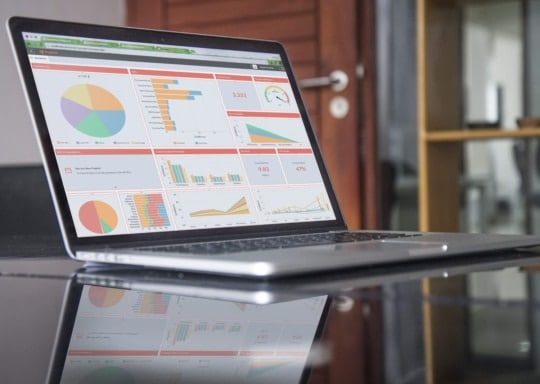

Industrial automation is a topic of conversation that manufacturers all over the globe are discussing on the shop floors of production facilities and in board rooms. Industrial automation is no longer an optional component of manufacturing industries. To remain competitive, industrial automation must be considered to maintain a level of competitiveness in modern manufacturing scenarios.

What Is Industrial Automation?

As far as an Industrial automation definition is concerned, the concept can be defined as completing an operation or procedure without human assistance by utilizing control systems, such as computers or robots, and information technologies, like ERP platforms and EDI, for handling different processes and machinery.

Types of Industrial Automation

There are several types of industrial automation in use today. They can be broken down into four main categories:

  1. Fixed (Hard) Automation

  2. Programmable Automation

  3. Flexible (Soft) Automation

  4. Integrated Automation (TIA)

These types of automation are leveraged in different scenarios, some data-driven and some production-driven. We’ll go into that a little later.

For now, it’s important to understand that industrial automation technologies and concepts can be applied most readily to data collection, data processing, and predictable physical work, such as welding, soldering, painting, food prep, packaging, and materials handling.

Fixed (Hard) Automation

Fixed automation refers to the use of special purpose equipment to automate a fixed sequence of processing or assembly operations.

an image of fixed (hard) automation in industrial automation

In this example, the application is usually simple and will involve a process or assembly that is dictated by programmed commands. It is relatively difficult to accommodate changes in the product design in a fixed automation process, which is set up with one purpose or process per application in mind.

Fixed (Hard) Automation Examples include:

  • Mechanized assembly
  • Machining transfer lines
  • Automated material handling

Fixed (Hard) Automation Advantages:

  • High production rates
  • Low unit cost

Fixed (Hard) Automation Disadvantages:

  • Relatively inflexible in accommodating product variety
  • The high initial investment for custom-engineered equipment
  • High vulnerability to failure
  • Obsolescence

Programmable Automation

In programmable automation, the production equipment is designed with the capability to change the sequence of operations to accommodate different product configurations.

an image of programmable automation in industrial automation

Programmable automation is used most often when manufacturing products in batches. It allows for customization and frequent changes throughout the manufacturing process.

In this case, the operation is controlled by a program of instructions that are read and interpreted by the system. New programs can be prepared and entered into the hardware to produce new products at any time.

Programmable Automation Examples include:

  • Computer Numerical controlled (CNC) machine tools
  • Industrial robots
  • Programmable logic controllers (PLC)

Programmable Automation Advantages:

  • Flexible and able to deal with design variations
  • Suitable for batch production

Programmable Automation Disadvantages:

  • High investment in general purpose equipment
  • Lower production rate than fixed automation

Flexible (Soft) Automation

With flexible automation, several machine tools are linked together by a material-handling system, and all components of the system are controlled by a central computer. This configuration offers rapid and smooth changes to products and processes.

an example of soft (flexible) automation

Utilizing multiple tools that are linked by a material handling system, like this rotary indexer, a flexible approach to automation is capable of producing a variety of parts with virtually no time lost for changes in the configuration. The same is true when reprogramming the system or altering the physical setup.

Flexible (Soft) Automation Examples Include:

Robot arms can be programmed to assume multiple tasks, such as insert screws, drill holes, sand, weld, insert rivets, and spray paint objects on an assembly line.

Flexible (Soft) Automation Advantages:

  • Continuous production of variable mixtures of products
  • Flexible to deal with product design variation
  • Offers Medium production rate

Flexible (Soft) Automation Disadvantages:

  • Requires a High amount of investment
  • High unit cost relative to fixed automation

Integrated Automation (TIA)

More of a philosophy pioneered by Siemens Automation and Drives than a tangible system, TIA includes several core concepts:

  • A common software environment
  • A common data management system
  • A common communication method

 TIA implementation is ideal for many industries, including:

  • Automotive
  • General machine construction
  • Special-purpose machine manufacturing
  • Standard mechanical equipment manufacturers, OEMs
  • Plastics processing
  • The packaging industry
  • Food, beverages, and tobacco industries

Totally-Integrated Automation (TIA) Defining Characteristics:

  • Facilitates shorter time-to-market
  • Higher productivity
  • Lower life-cycle costs
  • Reduced complexity
  • Greater security of investment

Industrial Automation With ERP And EDI

In the past, ERP software has served, in large part, to automate traditional business functions and record-keeping activities. Today, IIoT technologies extend those automation capabilities to the production floor. Taking into account the vast amounts of data production processes, robotics, and edge devices provide to centralized ERP systems, maintenance schedules, demand planning, and reporting can all be completed without the need for human intervention. By setting conditions and responses within the ERP system, users can monitor facility operations to expend energy or resources only when conditions warrant. The results are a more connected, streamlined business from the shop floor to the top floor with less waste at every level.

EDI further optimizes operations by eliminating manual communications between trading partners that used to take the form of faxes, phone calls, and emails. Electronic Data Interchange is an ERP agnostic technology that communicates critical order and shipping details instantaneously between digital devices. Standardized document formats, ensure that your logistics are in sync. Data exchanged through EDI is kept secure end-to-end and remains easy to interpret for both active orders and historical records.

About Encompass Solutions

Encompass Solutions, Inc. is an ERP consulting firm and Epicor Gold Partner that offers professional services in business consulting, project management, and software implementation. Whether undertaking full-scale implementation, integration, and renovation of existing systems or addressing emerging challenges in corporate and operational growth, Encompass provides a specialized approach to every client’s needs. As experts in identifying customer requirements and addressing them with the right solutions, we ensure our clients are equipped to match the pace of the Industry.


How ERP Improves Lean Manufacturing

We should start with a quick definition of lean manufacturing for the uninitiated. Lean manufacturing, also referred to as “lean”, is a commitment to minimizing waste of any kind during the manufacturing process. This includes wasted time, materials, and capital. in total, there are seven sources of waste in lean manufacturing, referred to as the “7 Mudas”. ERP improves lean manufacturing by providing visibility and tools to identify wasteful processes and how your organization can continually improve processes to ensure that waste is eliminated wherever possible. Here are a few examples of how ERP improves lean manufacturing operations.

1. Reduced Transport Waste

This form of waste occurs when goods and materials are moved from one location to another, be it to a staging area, warehouse racks, or shipping docks. These activities utilize machinery, operators, and time to complete operations, all of which cost money. Bringing no added value to the manufacturer or customer, this is a non-revenue generating activity. As such, fewer hours spent in the material handling phases of operation means fewer resources wasted. ERP improves lean manufacturing in this case by providing tools that enable more intelligent means of production and efficient logistics activities. Scheduling and monitoring capabilities, as well as equipment utilization visibility and inventory tracking, give teams the insight they need to see where resources are being committed and which steps in a process can be expedited or cut out of the equation entirely.

2. Reduced Inventory Waste

If you’re a Make-to-Stock (MTS) or Mixed-Mode manufacturing business, chances are you expect to have a certain level of raw materials and products maintained in inventory. Make-to-order (MTO) operations, not so much. However, at any level, having raw materials and semi-finished/finished products tied up in inventory means capital is tied up in inventory. Unless you’re stockpiling for a doomsday scenario, too much inventory is a bad sign. ERP systems provide the framework for achieving maximum efficiency, such as with Just-in-Time (JIT) manufacturing. Just as supermarkets have refined the optimal replenishment cycles for produce, so too can manufacturers remove these sub-par production planning and distribution practices to keep production constantly moving. ERP improves lean manufacturing in this case by providing tools for forecasting accuracy, historical data for sales and products, setting min/max stock levels, and even allowing for automated reordering directives.

3. Less Motion Waste

Motion waste applies to equipment and personnel and occurs in cases where any type of motion or effort occurs in a process that does not add value. Plant layout is the biggest culprit in contributing to motion waste. This is especially so if it impacts material handling activities due to traffic bottlenecks or excessive wear on machinery like forklifts. While it’s not generally feasible to redesign a production floor without halting production, ERP improves lean manufacturing in this case by providing data on machinery utilization and job planning and scheduling on the production floor. With visibility into what processes are taking more time or what machines are working at less-than-optimum efficiency, manufacturers can collaborate with engineers and suppliers to ensure their facilities are achieving maximum efficiency.

 4. Less Time Wasted Waiting

If nothing is happening, time is wasted. This can be the result of production bottlenecks, machine downtime, production teams not being in sync, or waiting on decision-critical data. Fortunately, ERP improves lean manufacturing in this case by providing teams with one source of data that everyone can rely on and retrieve when necessary. It helps to identify bottlenecks, plan jobs and schedules more efficiently, as well as facilitate decision-making with the data needed to execute mission-critical strategies.

how erp improves lean manufacturing scheduling

5. Avoiding Over-production

The Big One When it comes to the 7 wastes, is overproduction contributes to all other forms of waste in lean manufacturing. In short, it means you are making more of a product than consumers require, or goods are produced before they are needed, leaving them to sit in inventory. Supply chain management, procurement, and demand planning are both the causes and solutions of overproduction. Fortunately, ERP improves lean manufacturing in this case by delivering purpose-built tools to enable better supply chain management, automating the procurement process, and accurately forecasting demand based on historical data and industry trends.

how erp improves lean manufacturing production

6. Avoiding Over-processing

In the case of over-processing, you are putting in work that has no value. For example, on the production floor, you’re painting the inside of a car fender that will never be seen by anyone by a mechanic. This activity adds no value for the customer and serves only to take more valuable time away from your production team. Not to mention, paint ain’t free. Over-processing carries over to your field service and sales teams, too. Time wasted with manual entry can cost you valuable time. It can even cost you a customer if that manual entry results in order errors. Fortunately, ERP improves lean manufacturing in this case by automating such processes. You can click a single button and have a quote automatically turned into a Bill of Materials (BOM). Further insights deliver critical information on your production goals and sales KPIs.

7. Avoiding Defects

Defects don’t just waste time and materials, they waste your customers’ time and patience. Going even further, defective products that make it off the shop floor and into those customers’ homes or facilities reduce your industry reputation. For these reasons, defects are a high-priority waste that needs to be tackled. Unfortunately, it’s not always an easy task. ERP improves lean manufacturing in this case by completing checks and aligning production against standards you’ve set in the system. Products and processes that don’t conform raise flags so that your teams can address these instances before they become issues.

About Encompass Solutions

Encompass Solutions, Inc. is an ERP consulting firm, NetSuite Solution Provider, and Epicor Platinum Partner that offers professional services in business consulting, project management, and software implementation. Whether undertaking full-scale implementation, integration, and renovation of existing systems or addressing emerging challenges in corporate and operational growth, Encompass provides a specialized approach to every client’s needs. As experts in identifying customer requirements and addressing them with the right solutions, we ensure our clients are equipped to match the pace of the Industry.

Traditionally, the procurement process requires a great deal of manual effort as businesses commit resources to find and acquire goods, services, or work from external sources. These agreements require further attention as contracts need to be drawn, terms agreed to, and those agreements are managed throughout the life of the manufacturer/supplier relationship. This often extends far beyond one source to incorporate many external suppliers who can fulfill needs when another supplier cannot or for materials of varying quality and composition. The process has been most often achieved through a tendering or competitive bidding process. Fortunately, modern procurement automation solutions have enabled manufacturers to hand off many of their manual tasks to self-guided systems. The resulting procurement process improvement frees valuable internal resources for business-critical decision-making and strategizing efforts. Our partners at SourceDay have developed these industry-leading procurement automation solutions for use in an array of manufacturing and supply chain scenarios.

an image of the sourceday procurement automation solutions on a laptop

SourceDay Procurement Automation Solutions

SourceDay Procurement Automation Solutions For Buyers And Suppliers

For suppliers, Managing customers’ needs can be a daunting task. SourceDay allows you to handle it all in one convenient place. Purchase order management and buyer/supplier collaboration solutions work together to eliminate the headaches that come with managing an extensive list of customers. What’s even more attractive is the fact that SourceDay’s procurement automation solutions are free for suppliers.

For buyers, maintaining an effective and intuitive collaboration process with suppliers brings many challenges. when parts are being ordered in vast quantities the sheer volume of parts being ordered and so much relying on those parts arriving perfectly, supplier relationships are critical. A delay, an error, poor quality materials, or miscommunication can have detrimental implications with ripple effects that impact the end customer.

ERP systems, like Infor, SAP, NetSuite, and Epicor, help companies manage their businesses from financial operations to inventory management, production, and customer fulfillment. As good as ERP systems are, they all have feature gaps in functionality. Today’s ERP systems lack effective tools for managing purchase orders and suppliers. Once the ERP establishes requirements and the POs are generated, most buyers leave their ERP systems and rely on static, manual spreadsheets, emails, phone calls, and faxes to handle the rest. This equates to data in the ERP system being out of sync and creates aggravation, and mistakes while making it impossible for manufacturing and distribution companies to schedule production runs and forecast deliveries to their customers.

SourceDay ERP Integrations

SourceDay has developed seamless integrations alongside the most widely used ERP systems. This extends manufacturers’ investments in technology, amplifies the power in controlling internal and external processes, as well as boosts the functionality of existing ERP systems. By digitizing and automating supplier purchase order updates into existing ERP systems, customers receive a complete data transfer that eliminates errors and wasted time that results from manual-entry tasks, all while maintaining up-to-date data in your ERP system. Implementing SourceDay, further increases the return on existing ERP system investments.

SourceDay can integrate into nearly any ERP:

  • Epicor
  • Epicor Eclipse
  • Epicor Prophet 21
  • SAP
  • NetSuite
  • ECI M1
  • Exact Macola
  • Infor
  • Infor CloudSuite Industrial
  • Infor-SyteLine
  • Infor Visual
  • Microsoft Dynamics AX
  • Microsoft Dynamics NAV
  • Plex
  • QAD
  • Shoptech E2

If you don’t see your current ERP system in the list below, you can reach out using the contact us link below to confirm that your system is eligible for SourceDay ERP Integration.

Mobile SourceDay Procurement Automation Solutions

SourceDay is the only procurement management software specifically made to solve the most common challenges manufacturing and distribution companies face in managing their direct spending. Now, with SourceDay Mobile, procurement leaders, and their teams can manage procurement from anywhere at any time from their smartphones. Users will have quicker access to view, acknowledge and communicate on procurement data, where the data is being consumed, for endless collaboration. No other solution brings greater execution and visibility into the procurement and PO lifecycle while reducing risk, costs, and delays.

The benefits of mobility are felt several times over with SourceDay procurement automation solutions, including:

  • Manufacturing and distribution business flexibility that delivers agility in decision-making processes anywhere, regardless of location, country, or time zones
  • Stronger and more easily managed buyer/supplier partnerships with collaboration tools that can be leveraged anytime, anywhere
  • More efficient and proactive customer support to drive supply chain performance
  • Real-time notifications delivered to your mobile devices provide the framework for immediate action and quick decision-making

About Encompass Solutions

Encompass Solutions is a business and software consulting firm that specializes in ERP systems, EDI, and Managed Services support for Manufacturers and Distributors. Serving small and medium-sized businesses since 2001, Encompass modernizes operations and automates processes for hundreds of customers across the globe. Whether undertaking full-scale implementation, integration, and renovation of existing systems, Encompass provides a specialized approach to every client’s needs. By identifying customer requirements and addressing them with the right solutions, we ensure our clients are equipped to match the pace of the Industry.


Epicor ERP 10.2.400 Release is Now Generally Available

With this latest Epicor ERP 10.2.400 release, Epicor continues to deliver on its commitment to be the cloud ERP provider of choice. Epicor announced its strategic partnership with Microsoft AzureTM in May 2018, and that relationship has deepened and evolved as Epicor’s cloud business grows globally. The momentum is undeniable—as of April 2019, over 500 companies are leveraging Epicor ERP in the cloud, a jump of nearly 20% since the last release.

Epicor continues to make investments in its industry capabilities, with functionality that can leverage the Internet of Things (IoT) to connect machines and gather data across factory floors. Epicor is also still “customer-obsessed,” and has worked on modernizing and enhancing user interactions and experience throughout the entire customer journey.

Epicor continues to execute against its roadmap of investing in functionality aligned to the company’s main investment themes, with the focus of this release on Experiences, Analytics, and Industry.

Transforming The User Experience with The Epicor ERP 10.2.400 Release

Epicor has heard from its customers that one of the top areas they would like Epicor to invest in is usability. Epicor ERP 10.2.300 was the first step in a modern user experience (UX), featuring the Kinetic Design System that was introduced at Insights 2018. Kinetic is a best-in-class UX design framework that delivers a modern look and feels while improving system usability and performance. With this latest release, Epicor is introducing new mobile time and expense management applications built on the Kinetic Design System, to capture time and expense entry and approvals. Epicor has also enhanced the usability of the Gantt-based job scheduling board for a modern customer experience.

“The speed of the new Kinetic screens and interface is great. Updating ERP 10 brings new features, no challenges or downtime.”

 – Jos Greeve, Manager ICT, Boers & Co

Epicor also introduced Epicor Virtual Agent* (EVA), an intelligent digital agent embedded in the core product that enables users to get information quickly and easily, through voice or text. Finally, utilizing DocStar, Epicor will offer Sales Order Automation** integrated into Epicor ERP, which will reduce customer time and touchpoints, and accelerate their sales and fulfillment velocity.

Business Intelligence and Analytics

Analytics continues to be a major area of investment with Epicor ERP. With Epicor Data Analytics (EDA). New content packs have been released for both field service and preventive maintenance, as well as enhanced content packs for projects and production. Users will gain greater insights into the status of their field service team, their asset performance, as well as projects, and ERP MES.

Industry Focus

Epicor continues to invest in industry capabilities. Following the Dealer Network Portal introduced in the last release, Epicor now introduces the Supplier Portal in 10.2.400, which enables manufacturing customers to manage their supplier relationships, enter purchase transactions, and process RFQs in the best-in-class Epicor Commerce Connect eCommerce solution.

Epicor has refreshed and modernized frequently-used ERP MES screens using the Kinetic Design System. Advanced MES customers will also have a common shop floor interface via the Human Machine Interface (HMI).

Perhaps the most exciting solution in Epicor ERP 10.2.400 is Epicor IoT, a module that integrates with the Microsoft® Azure IoT Hub.  This application monitors and visualizes data from sensors and other Epicor products.  Epicor IoT leverages the power of Microsoft® Azure IoT Hub with the Epicor ERP context and production data to achieve new levels of operational efficiency. Through more intelligent insights into the production and day-to-day activities of your enterprise, Epicor users can fully drive and control Internet of Things data with the industry-leading Epicor ERP solution.

Users can track and visualize dynamic inventory to help locate process bottlenecks, monitor downtime, and throughput to improve asset utilization, and leverage predictive maintenance to boost quality and efficient manufacturing.

Ease of Everything

Epicor ERP 10.2.400 is primed to solve the complex challenges of your industry and position your business to grow profitably now and in the future. It contains proven solutions and processes that fit your unique business requirements. Committed to providing positive experiences for its customers, Epicor provides ease of everything—deployment, training and education, support, maintenance, and upgrades that result in greater profitability, productivity, and growth.

Ease of Learning – Epicor University

Epicor University focuses on a “blended” approach to learning for those upgrading to the Epicor ERP 10.2.400 release, with a suite of tools designed to appeal to all types of learning styles and needs. Start learning with the high-level Epicor ERP 10.2.400 release overview, then continue with additional targeted topic-specific Training on Demand videos, in-depth Embedded Education courses, jump into an Instructor-Led Class, or download any of the comprehensive documents and release guides. Explore all resources in Epicor Learning Center (ELC), Embedded Education, and EpicWeb***.

The new Knowledge on Demand (KOD) service is built directly into your Epicor ERP 10.2.400 solution. These short videos are usually one or two minutes long to help you solve problems quickly. Search the video library or browse by category to get the answer you need and get back to more important tasks. If you have not yet upgraded to 10.2.400 you may access the site directly via the KOD Portal.

The Epicor Learning Center (ELC) is a great addition to your company’s education toolkit. All customers, partners, and employees can access the Learning Center using their EpicWeb login credentials. From this central education hub, users can reach the available tools to assign courses and tests and track employee progress and comprehension.

The ELC home page is a valuable resource for new content announcements and other offerings. New with this release, you will find new content including self-paced Training on Demand videos, focusing on the essential new functionality added to the software. Epicor University also provides live virtual hands-on training on the current release of ERP. All courses are led by an Epicor University instructor in a hosted training environment. The sessions are interactive and students can participate in discussions, ask questions, and benefit from shared business case scenarios.

Ease of Upgrade

At Epicor, the firmly held belief that all users will gain significant benefit from staying current on new versions of the Epicor ERP software continues to endure. For users on the Epicor ERP 10 platform, the upgrade process is greatly simplified and allows for movement between releases without stepping through each release. For example, users can move from 10.1.400 to 10.2.400 without taking intermediate steps for the releases between.

To simplify the upgrade process from Vantage, Vista, and Epicor ERP 9 to ERP 10.2.400 release, Epicor has invested heavily in new tooling and services dedicated to the process of upgrading. The upgrade has been reimagined with automation and guidance tools for the entire process. Visit the Upgrade and Migration Center on EpicWeb for more information and resources.

Epicor ERP 10.2.400 Release Availability

This release is available for current customers that are already live on or currently implementing Epicor ERP 10 and who are currently subscribed to an Epicor maintenance and support plan to download via EpicWeb***. Customers on Epicor ERP 9, Vantage, or Vista that are currently subscribed to an Epicor maintenance and support plan can use the established upgrade request process to gain access. Epicor strongly encourages you to review the feature summary for the 10.2.400 release and become familiar with the improvements throughout the system. Visit the Epicor ERP 10.2.400 Center on EpicWeb*** for all the latest news and content on this release.

Customer, Partner, and Public Announcements

The customer and partner announcement emails are going out on Thursday, May 16, 2019 (local time). The press release was released at Insights on April 16, 2019. Epicor will be holding customer-facing regional webcasts starting on June 3 with the Americas region, with international webcasts to follow.

Get Set for Growth With The Epicor ERP 10.2.400 Release

Epicor is pleased to deliver Epicor ERP version 10.2.400 and encourages you to upgrade soon to begin reaping the benefits that will enable you to achieve greater outcomes for your business.

*Epicor Virtual Agent will go into controlled release on May 16, 2019, and is expected to be generally available on May 31, 2019

**Sales Order Automation is currently in controlled release with general availability planned shortly; specific date to be determined.

***Please note you will need to log in using your EpicWeb credentials.

About Encompass Solutions

Encompass Solutions, Inc. is an ERP consulting firm and Epicor Gold Partner that offers professional services in business consulting, project management, and software implementation. Whether undertaking full-scale implementation, integration, and renovation of existing systems or addressing emerging challenges in corporate and operational growth, Encompass provides a specialized approach to every client’s needs. As experts in identifying customer requirements and addressing them with the right solutions, we ensure our clients are equipped to match the pace of the Industry.


Traditionally, the procurement process requires a great deal of manual effort as businesses commit resources to find and acquire goods, services, or work from external sources. These agreements require further attention as contracts need to be drawn, terms agreed to, and those agreements are managed throughout the life of the manufacturer/supplier relationship. This often extends far beyond one source to incorporate many external suppliers who can fulfill needs when another supplier cannot or for materials of varying quality and composition. The process has been most often achieved through a tendering or competitive bidding process. Fortunately, modern tools have enabled manufacturers to hand off many of these manual tasks to procurement automation solutions. The resulting procurement process improvement frees valuable internal resources for business-critical decision-making and strategizing efforts. Here are our top 10 procurement automation use cases to help start automating the procurement process in your organization.

1. Direct Procurement Tasks: Minimizing The Manual

Spreadsheets, faxes, and emails have long been staples of direct procurement processes. unfortunately, the variability of the results can lead to an unreliable supply chain. There is simply too much opportunity for data entry errors, lost communications, and missed deadlines. This poor visibility in your supply chain and the procurement process can prove to be a significant hurdle to overcome and even potentially cause a halt in manufacturing and machinery. Production stoppages can cost millions in labor, expedited shipping costs, and poor customer satisfaction. By minimizing the manual entry of data and other associated tasks, procurement automation improves your business performance from the inside out.

2. Procurement Automation Elevates Supplier Performance

The benefits of working with a quality supplier cannot be overstated. suppliers are often overlooked as a critical business component as they can impact the functions of your entire organization. Unfortunately,  the manual nature of most procurement management makes it difficult to stay on top of past-due or poor-quality materials.

By operating with outdated and disparate tools, there is no visibility into supplier on-time performance and responsiveness to PO acknowledgments and confirmations. Communication between buyers, suppliers, and stakeholders turns into a moving target when what you need is a predictable performer. Automation tools built specifically for the procurement process bring clear and reliable communication channels to the forefront while helping to reduce errors, missed deadlines, and unhappy customers.

3. Supplier Accountability Improves

Procurement automation solutions hold historical data for you to use when evaluating which suppliers are keeping in line with the standards you have set for your relationship. Scorecards keep track of what matters most, including:

  • Supplier price variance
  • On-time delivery
  • Quality
  • Responsiveness

These scorecards ensure that ISO-certified companies maintain adherence to an in-depth supplier scoring system to remain ISO compliant. If your suppliers are delivering below your expectations, you can see a complete history of events leading to a downgrading of their rating. This makes having conversations about delivery easy, thanks to concrete historical data you can access from anywhere.

4. Procurement Automation Improves Collaboration

The simplicity and clarity of purpose-built procurement automation tools represent a monumental shift in supplier performance and supply chain efficiency. These systems are designed to integrate seamlessly with your ERP system. They deliver the ability to see and react to changes in real time from a single source of data. By automating your needs, from manual buying processes to performance analytics, business becomes streamlined at every level. You’ll find tremendous benefits through procurement automation in:

  • Collaboration – Increase collaboration between the buyer and supplier.
  • Visibility – Update data automatically in the ERP and view the information in real time.
  • Performance – Enhance performance with more accurate information and consistent communication and alerts.
  • Transformation – Improve productivity and supplier performance with better internal resource allocation and more accurate data.

5. Purchase Order Systems Become Streamlined

Automated purchase order management systems extend the power of your ERP. This provides you with the ability to manage direct spending and buyer-supplier relationships. when purchase orders are created these systems expedite purchase order acknowledgments, track due dates, and status changes, and alert your suppliers to important PO changes. All purchase order details and buyer/supplier communications can be tracked directly with each purchase order. Just like with EDI, updates are sent in real-time and immediately sync to your ERP.

6. Better Document Management

As operations expand, more trading partners and suppliers are brought into the fold. Communications, contracts, purchase orders, invoices, and a host of other documents are being routed back and forth between internal and external resources every day. Procurement automation tools will make sharing and managing all types of documents with your suppliers a hassle-free endeavor. By ensuring your suppliers automatically receive the latest revisions of manuals, prints, bill-of-materials, and specifications, they are better able to meet your needs and deliver on their obligations. Uploading your documents into these procurement automation tools will share the latest version of existing documents with your supplier automatically. New documents being uploaded need initial permissions and routing protocol set up, but it’s on autopilot after that, in most cases. You can even require a supplier to confirm receipt of your document and easily send reminders to suppliers who are slow to accept, further aiding in accountability and supplier performance.

7. Advance Shipment Notifications, Simplified

Completing detailed Advance Shipment Notification (ASN) documents, saving them to a given platform, and automatically sending them to buyers before shipment is made easy with procurement automation. The tools help buyers and receiving departments improve performance as it pertains to incoming supplier shipments with standardized barcodes and shipping labels. A quick scan of a barcode and receivers instantly know the contents of any box.

8. Superior Quality Control

Procurement automation tools track the incoming inspection of materials, placing parts in a quality queue and flagging them for review to simplify your quality control processes. If the item(s) fails inspection, the reviewer inputs the reasons into the tool and collaborates with the supplier to disposition the material.

9. Easy Request For Quote (RFQ) Management

Spreadsheets only slow things down when you want RFQs promptly and intuitive layout. With procurement automation, you can send a request for a quote to your suppliers to track every step of the way, automatically. A comprehensive view of every supplier on your list will allow you to make an informed decision without having to jump between multiple sheets. Tracking responses that align with the best pricing and scorecard rating make it easy to compare offers and choose the suppliers who best fit your requirements.

10. Mobile Utilization Of Procurement Automation

Mobility is key for any modern organization. If you can’t make decisions on the move, you are essentially desk-bound. That means, if you’re not in the office, chances are you’re not taking action. Today, procurement automation solutions place simple and intuitive smartphone apps in your hands. These native-developed applications assist in managing procurement and purchase orders from anywhere, at any time. Leveraging quicker access to view, acknowledge, and communicate procurement data where the data is being consumed allows you to make smarter business decisions, faster.

Want to know more about procurement automation? Get in touch with the experts at Encompass Solutions using the contact us link below. We’ll help you identify the ideal procurement automation solution for your business’s unique needs.

About Encompass Solutions

Encompass Solutions, Inc. is an ERP consulting firm, NetSuite Solution Provider, and Epicor Platinum Partner that offers professional services in business consulting, project management, and software implementation. Whether undertaking full-scale implementation, integration, and renovation of existing systems or addressing emerging challenges in corporate and operational growth, Encompass provides a specialized approach to every client’s needs. As experts in identifying customer requirements and addressing them with the right solutions, we ensure our clients are equipped to match the pace of the Industry.


While supply chains differ from one manufacturing company to the next, data still needs to be exchanged between suppliers, manufacturers, and customers. This is why Electronic Data Interchange (EDI) is such a critical component of modern manufacturing. EDI is a document exchange protocol. It involves a company’s entire digital infrastructure and is by and large considered the standard when it comes to purchasing orders, invoices, shipment notices, and other documents frequently exchanged between trading partners. Here are the Top 5 EDI documents for manufacturing and why you should be implementing their use in your trading partner cycle.

First, What Is Electronic Data Interchange (EDI)?

EDI can be summarized as a process by which computer systems exchange business documents quickly and securely in a standard electronic format. Some examples of those electronic formats include those from ANSIEDIFACTTRADACOMS, and ebXML. This is a simple definition but the concept of EDI documents for manufacturing extends from communications to design, as well.

an image representing transfer of edi documents for manufacturing

“While EDI is an infrastructure of a supply chain management system for QR (Quick Response) and ECR (Efficient Consumer Response), it is also a technology that supports concepts such as computer-aided design (CAD) and computer-aided acquisition and logistic support (CALS), a higher-level concept of CAD. EDI is based on standardization of electronic data exchange. There are many organizations that make rules for the standardization, such as ANSI (American National Standards Institute), EDIFACT (Electronic Document Interchange For Administration, Commerce and Transportation), CII (Center for the Informatization of Industry), EIAJ (Electronics Industries Association of Japan), and VICS (Voluntary Interindustry Commerce Standards Association). The rules differ depending on the types of applications for each industry that are installed on the infrastructure of EDI.”

Understand Supply Chain Management through 100 words
by Zenjiro Imaoka
Published by KOUGYOUCHOUSAKAI

The Top 5 EDI Documents For Manufacturing

From start to finish, your trading cycle is likely to include these 5 EDI documents 95 percent of the time. However, this is also dependent on your particular manufacturing industry. We’ll go more into that later. For now, here are The Top 5 EDI Documents For Manufacturing:

1. EDI 810 – Invoice

In Electronic Document Interchange (EDI), an EDI 810 is the electronic version of a traditional paper invoice. Used primarily in the manufacturing and retail industries, an EDI 810 Invoice is sent by the vendor or supplier to a retail partner or distributor to request payment for products and/or services.

utilizing the EDI 810 invoice offers several benefits to both the supplier and the purchaser. These benefits will depend on the transaction’s level of automation and integration on either party’s system. These benefits can include:

  • Increased efficiency, reduced time to complete transactions, and decreased volume of paper flow
  • Less time spent manually submitting invoices on the supplier’s end
  • Less time spent manually entering invoices on the purchaser’s end
  • Increased resources to focus on value-added work for both supplier and purchaser
  • A significant reduction, if not outright elimination, of errors associated with manual entry
  • Reconciliation against orders/shipments to verify correct invoice amounts
  • Better order fulfillment
  • Faster payment

2. EDI 830 – Planning Schedule with Release Capability

An EDI 810 is the electronic version of a traditional paper invoice. Used primarily in the manufacturing and retail industries, an EDI 810 Invoice is sent by the vendor or supplier to a retail partner or distributor to request payment for products and/or services.

EDI 830 offers plenty of benefits to both the purchaser and the supplier. when implementing electronic trading of the inventory advice benefits can include:

  • Better visibility into when a product is out of stock or no longer being made and the ability to advise other actions as a result
  • Better management of e-commerce drop shipping
  • Communicates when items will be available if out of stock
  • Better forecasting when planning warehouse levels and ordering
  • Easier Management of details on eCommerce websites, for instance, when items are out of stock, quantities are available, or remove the items from the website
  • Enables ordering of non-stock items and special orders

3. EDI 850 – Purchase Order (PO)

The EDI 850 Purchase Order (PO) is most commonly utilized when placing an order for goods or services. The 850 is most widely used in general merchandise, while its counterpart, the EDI 875 Purchase Order, is reserved for grocery items.

EDI 850 offers plenty of benefits to both the purchaser and the supplier. When implementing the use of electronic purchase orders, benefits can include:

  • Reduced the volume of paper-based processes
  • Reduced time to complete transactions on both ends of trading partnerships
  • Reduced time invested in manual processes, such as order submissions and PO entry
  • Increase in value-added work as resources are freed by automation of manual processes
  • Fewer data entry errors
  • Optimized fulfillment
  • Reduced on-hand inventory for retailers

4. EDI 855 – Purchase Order (PO) Acknowledgment

An EDI 855 Purchase Order Acknowledgment is essentially an electronic version of a phone call or fax that informs the submitter of a purchase order the supplier will be filling the order as requested.

EDI 855 offers plenty of benefits to both the purchaser and the supplier. When implementing the use of a Purchase Order Acknowledgement, benefits can include:

  • Visibility into a supplier’s commitment to fulfilling an order
  • Quicker routing of acknowledgments and changes with automation
  • Improved organization of order information between suppliers and partners
  • Reduction of issues post-invoicing
  • Easy confirmation of supplier-fulfilled orders direct to end consumers

5. EDI 856 – Advance Shipment Notification (ASN)

An EDI 856 Advance Shipment Notification (ASN) is most commonly utilized as a method of shipment confirmation between a supplier and retailer. The 856 provides visibility for inbound shipments, automation of receiving, and confirmation for direct vendor-to-consumer shipments.

EDI 856 offers plenty of benefits to both the purchaser and the supplier. When implementing the use of ASN, benefits can include:

  • Increased visibility into shipment progress and contents
  • Increased shipment accuracy
  • Increased fulfillment rates
  • Easy cross-referencing between PO and shipment
  • Reduced need for safety stock

Additional EDI documents utilized by some manufacturers include those who operate Third-Party Logistics (3PL or TPL). These manufacturers often find EDI document 940 – Warehouse Shipping Order and EDI document 945 – Warehouse Shipping Advice particularly useful. In the case of the Aviation and Aerospace Manufacturing industries, an EDI document 862 – Shipping Schedule is always used, while an EDI document 850 – Purchase Order (PO) is not.

Why You Should Care About EDI Documents For Manufacturing

While EDI revolves around document routing it does a whole lot more for your organization than simply sending documents electronically. The efficiency and security of electronic document interchange increase your productivity, minimize waste, and ensure the integrity of your trading cycle. Not only this, but you can add the fact that you are automating tasks that are generally non-revenue generating, which leaves more time for value-added activity in the organization. The result is more valuable partnerships, increased supplier satisfaction, and higher reliability rates of internal processes. Here are just a few of the incredible benefits of EDI:

  • Audit trails
  • Contingency planning
  • Use of acknowledgments
  • Electronic document management
  • Activities of supporting networks
  • User access controls to systems and networks
  • Cryptographic techniques for authentication and confidentiality

In short, If you plan to run an organized and efficient manufacturing business, you cannot afford to overlook the utility of implementing EDI documents for manufacturing. Fortunately, Encompass Solutions, Inc. can help you with that. For more information on Encompass Solutions’ EnTrust EDI solution, read about our Rapid EDI Implementation.

About Encompass Solutions

Encompass Solutions, Inc. is an ERP consulting firm, NetSuite Solution Provider, and Epicor Platinum Partner that offers professional services in business consulting, project management, and software implementation. Whether undertaking full-scale implementation, integration, and renovation of existing systems or addressing emerging challenges in corporate and operational growth, Encompass provides a specialized approach to every client’s needs. As experts in identifying customer requirements and addressing them with the right solutions, we ensure our clients are equipped to match the pace of the Industry.


What Is Budgeting Process Improvement?

When it comes to gauging corporate performance, the less time spent on non-revenue generating processes, the better. Unfortunately, the budgeting process is essential to proper performance and forecasting. That means mistakes can’t be afforded. Not only do you want to reduce the time and errors associated with manual budgeting in spreadsheets, but building an efficient process around your budgeting activities is of critical importance. Get rid of rigorous workflow processes and meet the growing needs for data security, data accuracy, and cross-functional integration of data, and remain nimble in the face of rapid change with these strategies. Budgeting Process Improvement can be achieved with ease, simply follow the steps outlined below.

1. Define The Budgeting Process

While budgeting is primarily a financial process, it affects just about every department of a business. defining the process ensures that it is managed efficiently, frees up time, and provides financial professionals the ability to conduct meaningful analyses, improve forecasting, and respond quickly to changing needs. only after the budgeting process is defined can you begin with budgeting process improvement.

2. Identify The Infrastructure That Supports Your Budgeting Process

Understand the infrastructure that supports your process. Employees, financial and project management skills, processes, and technology are what make your process run efficiently and ensure the steps required for execution are adhered to across the board.

3. Define Your Budget

A budget is a detailed account of your ability to conduct business processes based on available resources. An effective budget will provide enough detail to make sound decisions in both short-term and long-term scenarios. Defining the parameters of your budget will enable informed business decisions related to spending.

4. Define Relevant Performance Metrics For Your Budget

Key Performance Indicators (KPIs) will help you stay focused on the goals you have set for your company. Be sure to set these KPIs at the onset of your budgeting, the resulting budget, and related processes to determine the financial health of your organization as it relates to revenue growth, earnings growth, debt reduction, and EBITDA margin.

5. Enable And Encourage Collaboration

Siloed systems and departments are characteristic of poorly organized businesses. By enabling and actively encouraging collaboration among your staff, budget-related issues can be addressed and resolved much more quickly, while new standards for your organization can be detailed, understood, adopted, and monitored more effectively.

6. Plan For Changing Conditions

The only constant changes, so plan accordingly. Businesses that are already in or want to be in a position of industry leadership need their budgeting and planning processes to be in line with this philosophy. Planning scenarios, maintaining an understanding of the latest trends, and implementing best practices all contribute to an organization’s overall financial health as a byproduct of budgeting process improvement.

7. Consider Utilizing Purpose-Built Budgeting Software

Adopting software solutions designed to increase the efficiency, accuracy, and consistency of budgeting processes yields measurable time savings for finance professionals. Industry analysts Aberdeen Group recently identified how Best-in-Class organizations use software automation solutions to increase the efficiency of budgeting and achieve tangible benefits. Corporate Performance Management (CPM) software is designed to help such organizations automate budgeting and planning processes.

Budgeting Action Items And Next Steps

Interested in learning more about what you can do to reduce the time committed to your company budgeting efforts? Want more insights and concrete data regarding your performance in the marketplace? Download the free whitepaper for these details, action items, and more. Otherwise, you can reach out to us directly using the link below for more information or a demonstration of how Corporate Performance Management (CPM) Software can improve operations for your organization.


About Prophix

Prophix develops innovative software that automates critical financial processes such as budgeting, planning, consolidation, and reporting—improving a company’s profitability and minimizing its risks. Thousands of forward-looking organizations in more than 90 countries use software from Prophix to gain increased visibility and insight into their business performance.

About Encompass Solutions

Encompass Solutions, Inc. is an ERP consulting firm, NetSuite Solution Provider, and Epicor Platinum Partner that offers professional services in business consulting, project management, and software implementation. Whether undertaking full-scale implementation, integration, and renovation of existing systems or addressing emerging challenges in corporate and operational growth, Encompass provides a specialized approach to every client’s needs. As experts in identifying customer requirements and addressing them with the right solutions, we ensure our clients are equipped to match the pace of the Industry.